
Connect your heart rate to Morph.
Bring your heart-rate data into Morph and see the effort behind every workout.
Step-by-step instructions
On iPhone
Apple Health-
Open Settings and connect.
In Morph, tap the double-chevron menu at the bottom right, then choose Settings. Scroll to Account and tap Connect to Apple Health.
AccountApple HealthNot connectedConnect to Apple HealthTerms of ServiceLog outDeleteBefore you connect · illustrated Settings view. -
Allow heart-rate access.
In the Apple Health permission screen, allow Morph to read Heart Rate, then confirm and return to Morph. Sync starts automatically after you connect.
You’re in control of this permission. You can review it later in the Health app under your profile → Apps → Morph. Apple’s permission guide (opens in a new tab).
-
Check your sync.
Back in Settings → Account, keep Heart Rate Sync on. You may see Syncing while Morph updates.
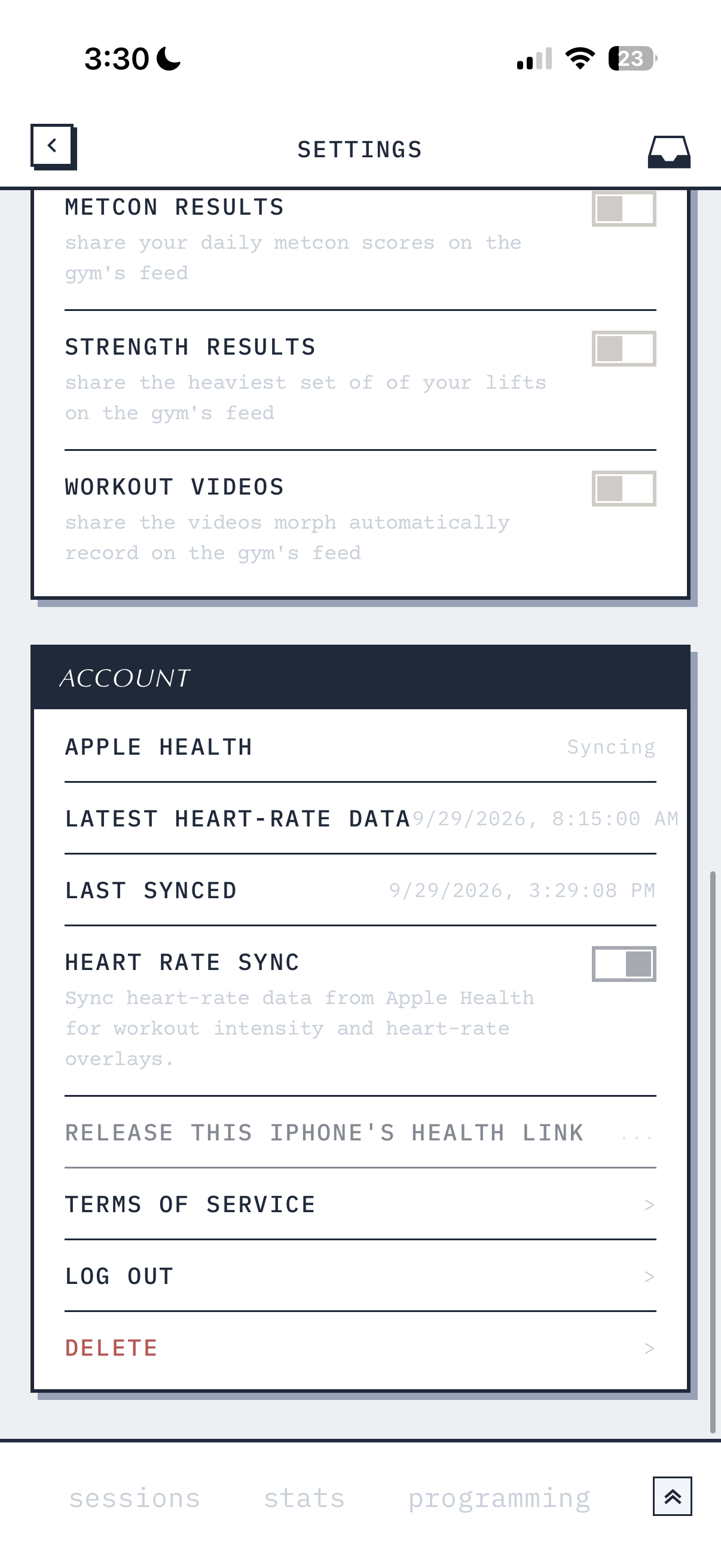
After you connect · your dates and times will be different. Tap to see the full screenshot. - Latest heart-rate data
- The most recent heart-rate reading Morph has received.
- Last synced
- When Morph last synced. A new sync does not always include a new reading.
On Android Health Connect
- Open Morph’s bottom-right menu, choose Settings, and find the Health Connect section.
- Tap Connect Health Connect, choose Continue, and allow Morph to read your heart-rate data.
- Return to Morph and check Latest heart-rate data and Last synced. Use Sync now to request an update.
Background sync is optional. You can allow it during setup or use Enable background sync when offered. Android controls when those updates run.
To review permissions, use Manage Health Connect access in Morph. Google’s permission guide (opens in a new tab).
Once you’re connected
Understand the effort
behind your score.
Your heart rate adds context to how a workout felt—and gives you something to learn from for the next one.
- Find a pace you can hold. Compare your heart-rate trend with your round times to see how your opening pace held up as the workout went on.
- See where you got a breather. Look at whether your heart rate dropped between rounds or stayed elevated going into the next effort.
- Put the hard moments in perspective. Time in each zone helps you see whether the intensity came in short bursts or stayed high for much of the workout.
- Average
- 169 bpm
- Peak
- 183 bpm
From the September 18 Southie session shown here.
Find it in Sessions → choose a workout → Heart Rate.
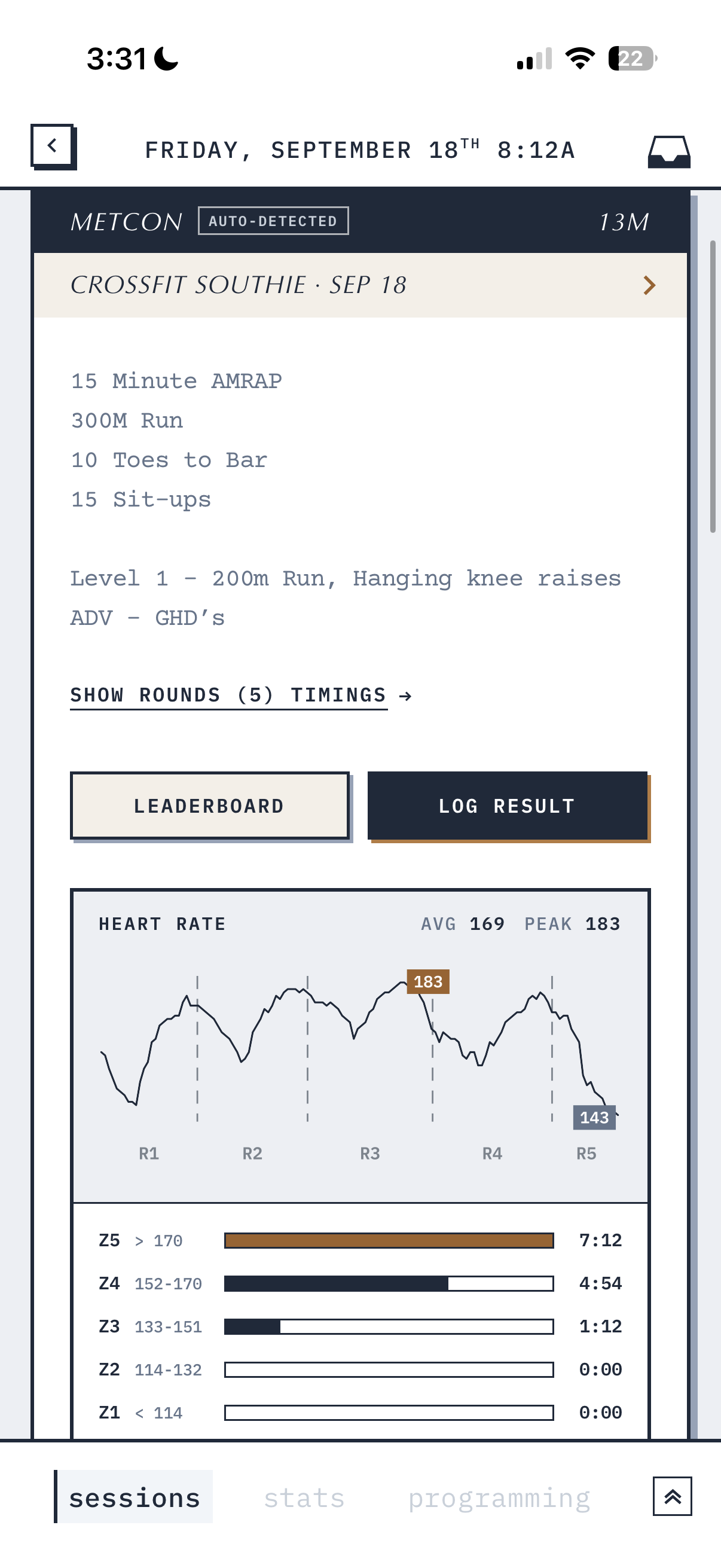
Tap to view full size.